Basics of CSS in bucket.io - Text Color
Advanced customization is a feature located at the Design section, and is recommended for users with advanced developing skills, since it requires writing code. However, if you are feeling adventurous and want to give it a shot, please know that you can always reset it to the original formatting if you're not happy with your changes.
Here are some basic tips to change the design aspect of your funnel (if you are having problems seeing pictures in this article, click any and they will expand):
Changing text color of the following sections:
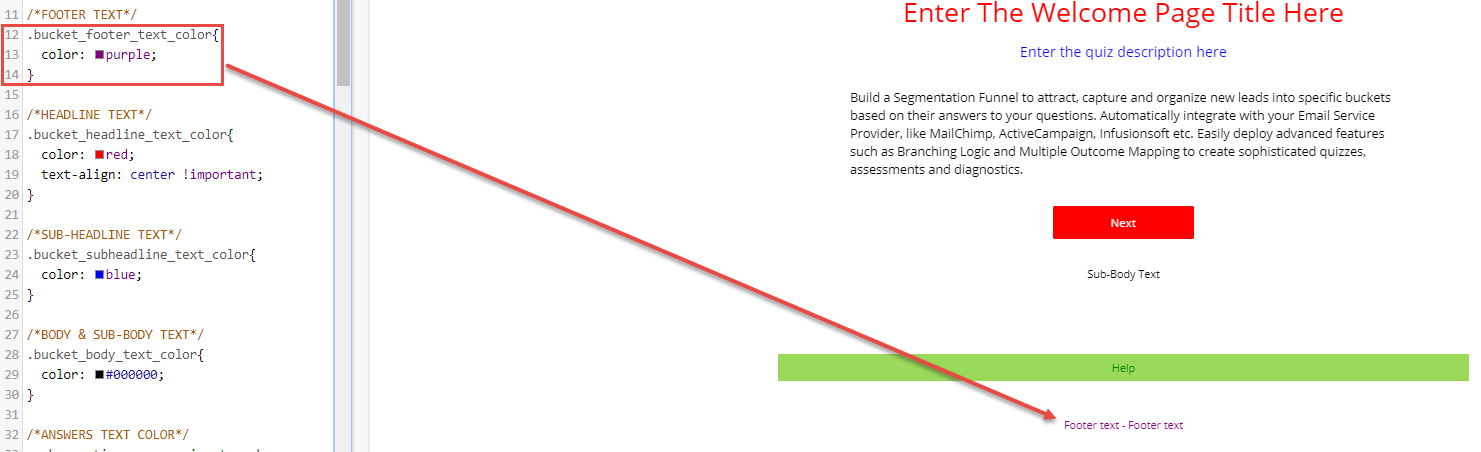
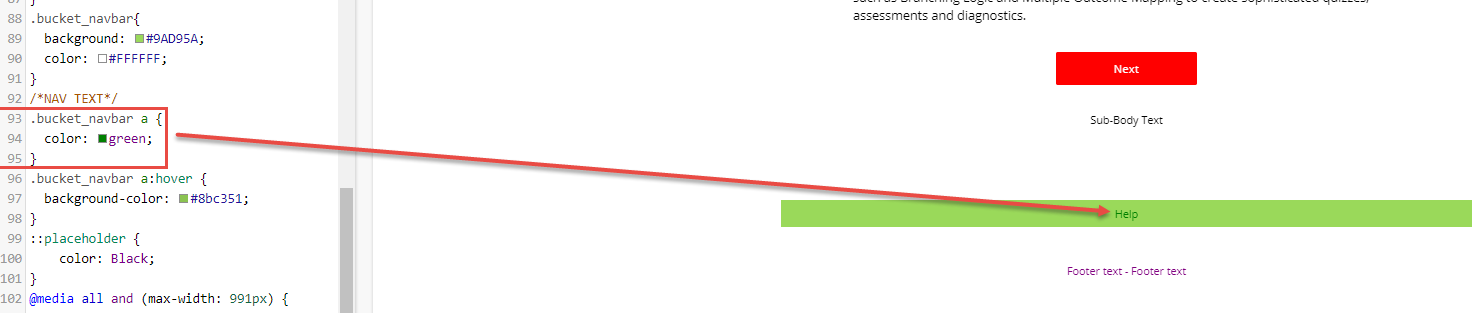
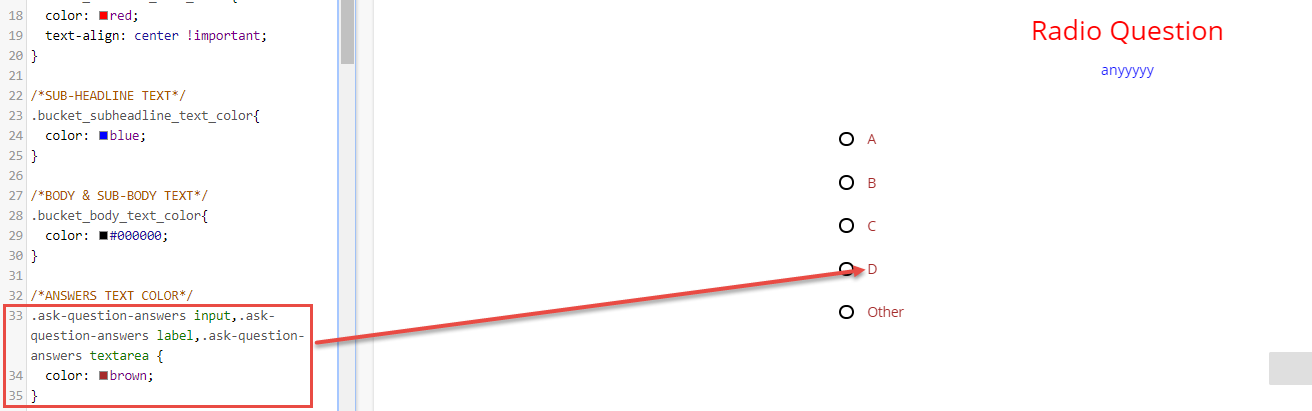
Below there is the piece of code needed to change the text color for each section (see the images for example):

.bucket_footer_text_color{
.bucket_navbar a {
.ask-question-answers input,.ask-question-answers label,.ask-question-answers textarea {
Here are some basic tips to change the design aspect of your funnel (if you are having problems seeing pictures in this article, click any and they will expand):
Changing text color of the following sections:
- Header
- Footer and Navigation Link
- Headline
- Sub-headline
- Body and Sub-body
- Answers
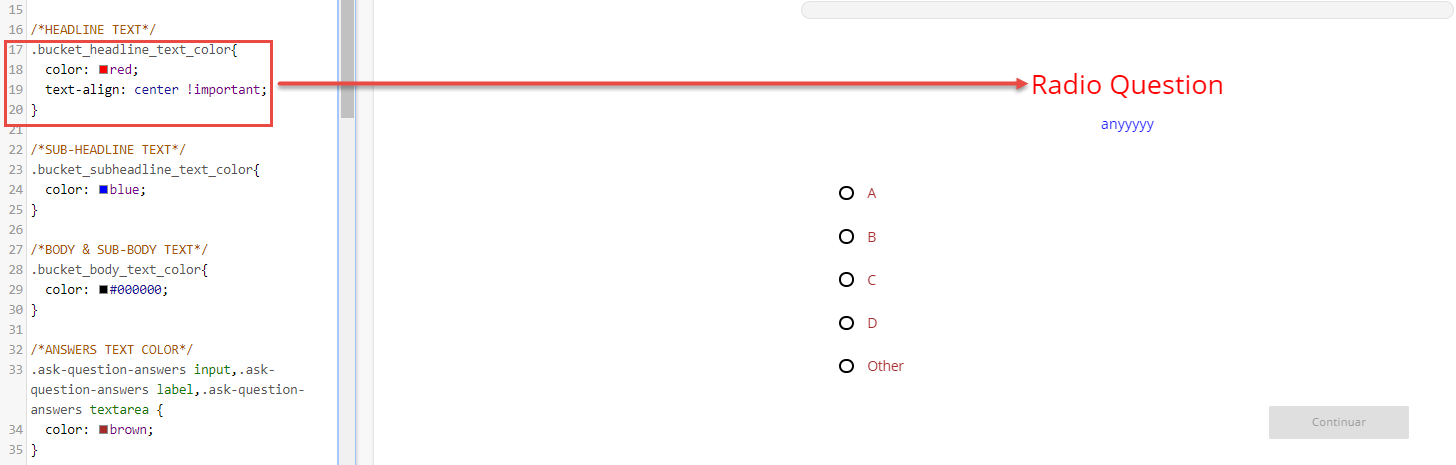
Below there is the piece of code needed to change the text color for each section (see the images for example):
Header
.bucket_header_text_color{
Footer and Nav Link
.bucket_footer_text_color{.bucket_navbar a {
Headline
.bucket_headline_text_color{

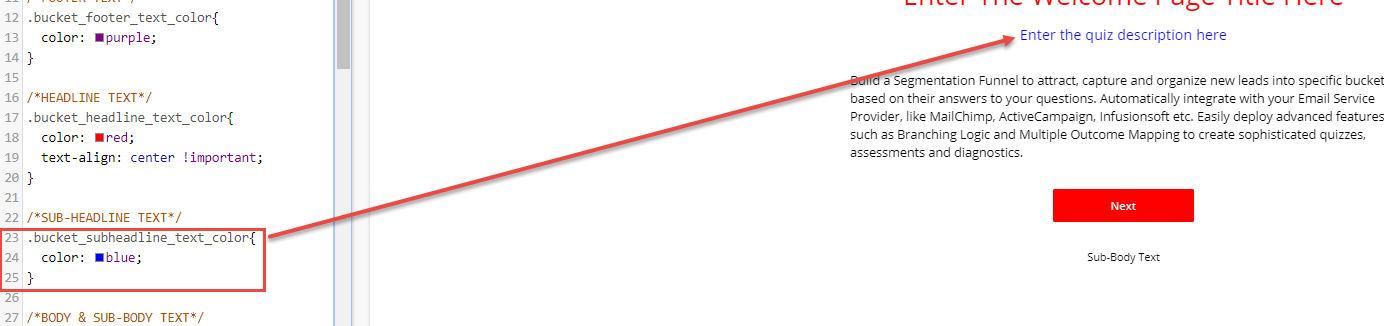
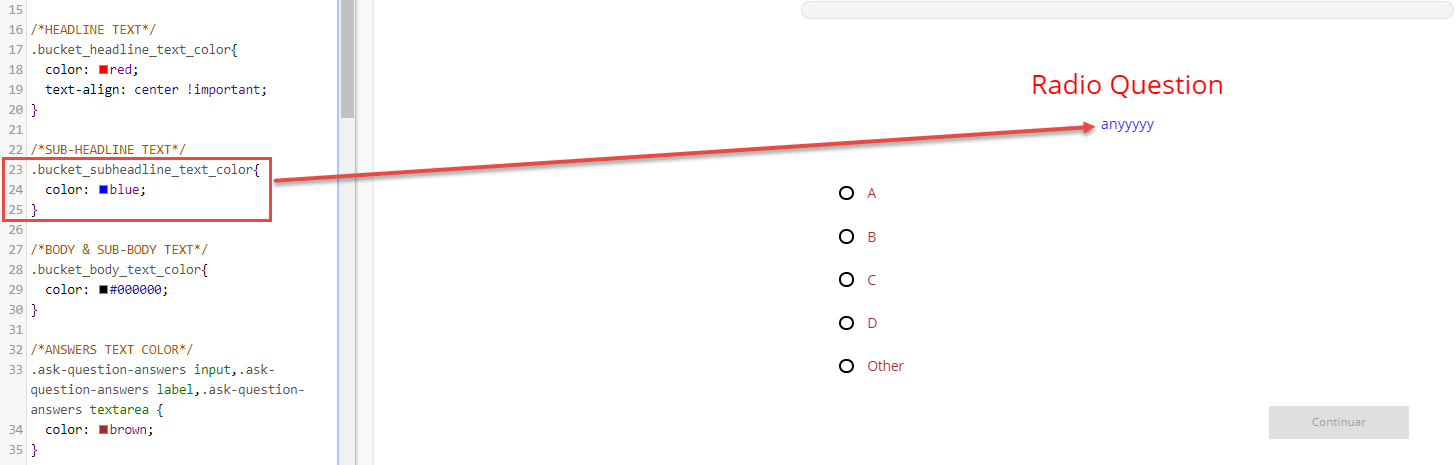
Sub-headline
.bucket_subheadline_text_color{
Body and Sub-Body
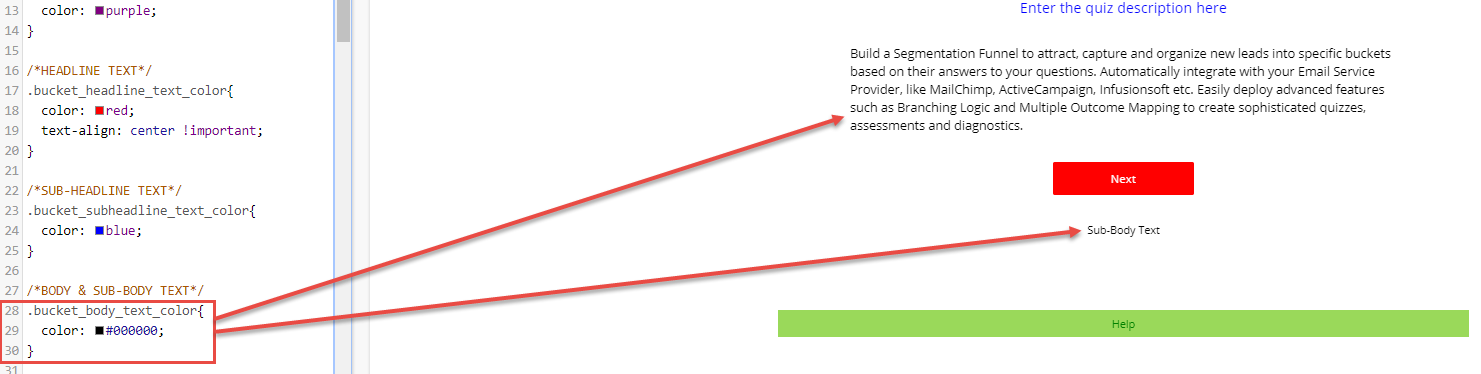
.bucket_body_text_color{
Answers
.ask-question-answers input,.ask-question-answers label,.ask-question-answers textarea {